
Your car just got a new passenger, and it is smarter than the one in the back seat. Gemini Apple CarPlay is rolling out now: Google’s Gemini app has arrived on Apple’s in-car platform as a standalone app, bringing Gemini Live voice conversations, Gmail summaries and Google Calendar help to your dashboard. It is the most significant upgrade to CarPlay since Apple let third-party apps in — and it comes from Google, on Apple’s platform, ten days after the rollout began on November 11, 2026.
Key takeaways
- Gemini Apple CarPlay began rolling out globally on November 11, 2026, in every language Gemini Live supports — no separate app download needed.
- Tap the Gemini icon on your CarPlay display to start a new Gemini Live conversation or resume one from your iPhone.
- With Gmail and Google Calendar connected, Gemini can summarize unread emails and long threads, check upcoming appointments, and help you prepare for meetings — all by voice.
- Conversations sync with the Gemini app on your iPhone, so you can pick up a chat after you park.
- Setup takes three steps: update the Gemini app, allow microphone access, and use Gemini Live on your iPhone at least once before connecting to the car.
What Gemini Apple CarPlay actually does
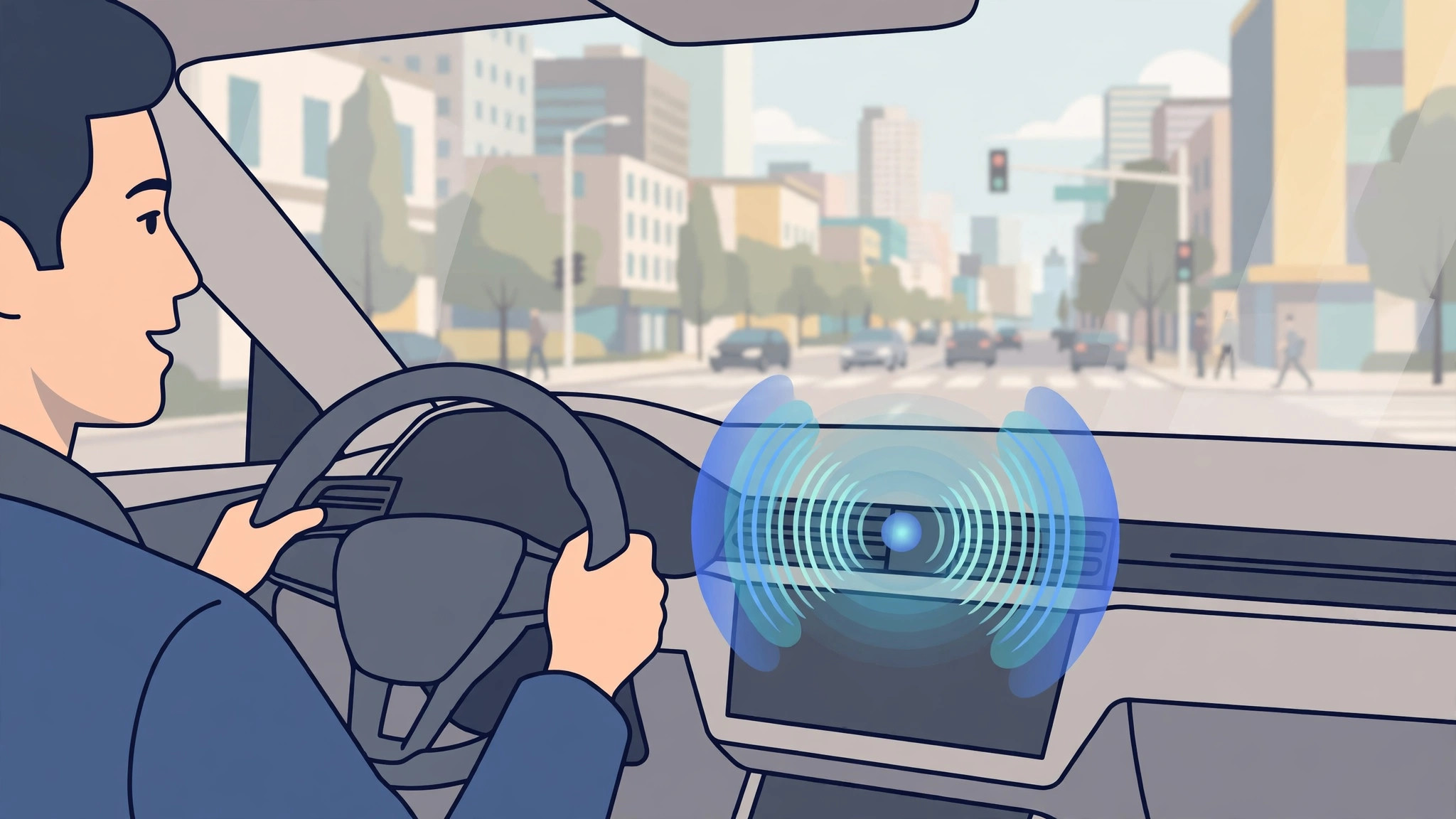
The new app puts the full Gemini Live experience on your car’s display. Tap the Gemini icon on the CarPlay home screen or side rail and you can start a new conversation or pick up where a recent chat left off. Gemini Live is a back-and-forth voice conversation, not a command-and-response system: you can interrupt the assistant mid-sentence to add details, change topics, or pause the exchange when you need to concentrate on driving. It retains context, so a conversation you started on your phone continues in the car.
The practical features come from Google Workspace. With Gmail and Google Calendar connected, drivers can ask Gemini to summarize unread emails, get quick summaries of long email threads, check when an appointment starts, and talk through a quick reply using just their voice. Google’s examples include rehearsing a presentation on the way to a meeting, preparing for a meeting by reviewing the agenda, and discussing a topic you have been curious about. Gemini can also suggest places to eat along your route or explain the history of a local landmark.
There is also Daily Brief, a personalization feature that synthesizes your personal data into a custom briefing for the morning commute — but you need to enable it first, and it is unavailable to people under 18 and to users in the European Economic Area and Nigeria. The rollout itself is gradual, so the app may take a few days to appear for everyone even though it began on November 11.
How Gemini Apple CarPlay is different from what came before
This is not Google’s first move onto CarPlay. In October, Gemini arrived inside Google Maps on CarPlay, bringing conversational requests into navigation. But that integration was limited to navigation-related queries. The new standalone app is broader: it brings the full Gemini Live experience to the dashboard, with Workspace integration and conversations that are not tied to a route.
It is also worth knowing what Gemini cannot do in the car. The integration does not give Gemini deep device-level permissions, so do not expect it to change your music, adjust the air conditioning, or control other CarPlay apps. The focus is conversational assistance, not car control. That is a deliberate limit — and a sensible one, given that a voice assistant that can change your car’s settings is a safety question nobody has answered yet.
The bigger picture is the platform war playing out on your dashboard. Google now has its AI assistant running inside Apple’s car platform, weeks after Apple confirmed Gemini’s expansion to the Mac and days after Apple confirmed Gemini will power the next Siri. The two companies are now deeply intertwined: Google supplies the AI, Apple supplies the hardware and the privacy architecture, and the user gets the best of both. CarPlay is the latest place that deal shows up — and it will not be the last.
How to set up Gemini on Apple CarPlay
Setup takes a few minutes, but there is one step people miss: you must use Gemini Live on your iPhone at least once before the car will work. Google asks users to prepare the iPhone app before connecting to CarPlay, and the first Gemini Live conversation has to happen on the phone. Once that is done, the CarPlay app can start a fresh conversation or resume a recent one.
- Update the Gemini app on your iPhone to the latest version through the App Store.
- Allow microphone access for Gemini in your iPhone settings.
- Open Gemini Live on your iPhone at least once and have a short conversation.
- Connect your iPhone to your CarPlay vehicle and tap the Gemini icon on the dashboard display.
- Choose a recent chat or start a new one — your conversations sync with the Gemini app, so you can revisit them on your phone after parking.
If the Gemini icon does not appear, the rollout may not have reached your account yet — Google has not published an account-by-account schedule, and availability varies during the initial release. Make sure the Gemini app is fully updated, and check again after a day or two. You do not need to download a separate app for CarPlay; the Gemini app you already have is the one that appears on the dashboard.

Is Gemini on CarPlay worth using?
For iPhone owners who already use Gemini, yes — and the reason is the commute. The morning drive is dead time, and a voice assistant that can summarize your unread email, check your calendar, and help you prepare for your first meeting turns it into useful time. The Gmail and Calendar integration is the feature that makes this more than a novelty: it is the difference between a chatbot in your car and an assistant that knows your day.
For everyone else, the honest answer is that it depends on whether you already live in Google’s world. If your email is Gmail and your calendar is Google Calendar, Gemini on CarPlay will feel like it was built for you — because it was. If your email is iCloud and your calendar is Apple’s, Siri remains the better fit, and Siri’s own transformation into an AI agent may be the upgrade that matters more to you. Either way, the car has quietly become the newest front in the AI assistant war — and for once, both sides are on the same dashboard.
FAQ
What is Gemini Apple CarPlay?
How do I get Gemini on CarPlay?
What can Gemini do on CarPlay?
Can Gemini control my car through CarPlay?
Why can’t I see Gemini on my CarPlay yet?
Gemini Apple CarPlay is a small update with a big meaning: Google’s AI assistant now lives on Apple’s dashboard, in Apple’s car platform, helping you with Google’s email and calendar. It works, it is useful on a commute, and it takes three minutes to set up. The assistant war has reached your car — and for the first time, both companies are winning it together.
Sources: MacObserver (Nov 12, 2026); PYMNTS (Nov 11, 2026); AppleInsider (Nov 11, 2026); Android Authority (Nov 11, 2026); Gadgets 360 (Nov 13, 2026).
External sources: MacObserver — Google Gemini Now Available on Apple CarPlay · PYMNTS — Google Brings Gemini Live to Apple CarPlay